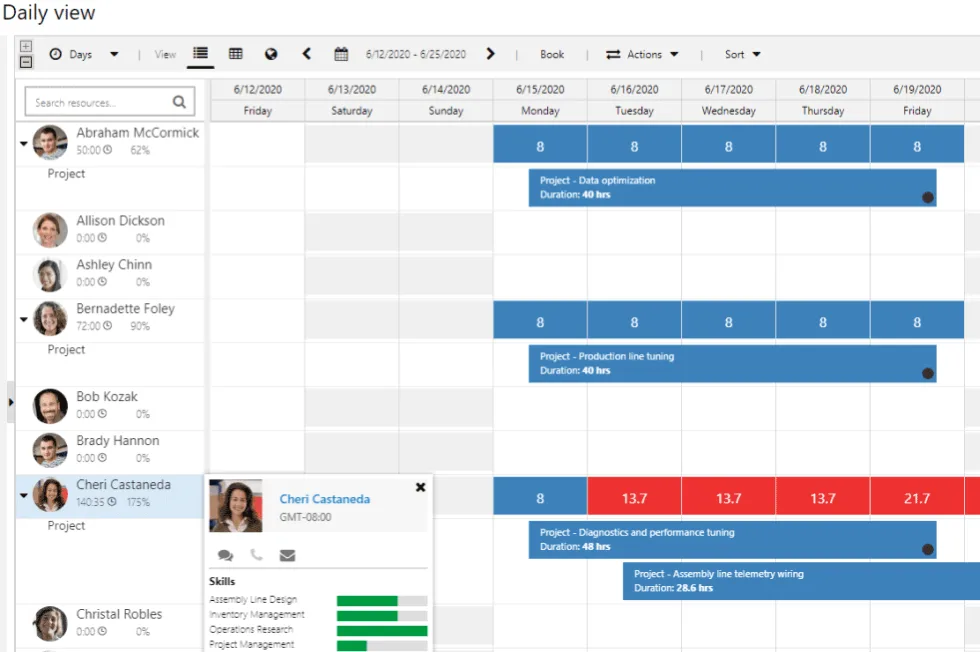
Project Operations is a project management tool from Microsoft that offers various deployment options to cater to some narrow requirements. Microsoft offers three deployment types for Project Operations: 1) Lite; 2) Resource/non-stocked; or 3) Stocked/production, each with unique capabilities and drawbacks.
To determine the most suitable deployment, you need to first determine which type fits your business the best. Be sure to choose wisely, as it is not easy to reverse course once you make a selection and start implementing the solution. You must choose one of the deployment types below.
What if you could get more project management capabilities for D365 Finance for the same price as Project Operations?
Project Operations
$135
user/m
Microsoft’s default project module for D365 Finance with standard project management capabilities with a single WBS structure and basic features. No upgrades or product expansions available.
Key Features
Project scheduling (WBS)
Resource & capacity management
Quoting & Templates
Costing & Budgeting
Power BI reporting
vs.
PlanAutomate EPM
$135
user/m
Our core Enterprise Project Management (EPM) product has all the same project management functionality as Project Operations in a more capable system that’s embedded in D365 Finance. Plus, you gain the ability to grow into other features.
Key Features
Project scheduling (WBS)
Resource & capacity management
Quoting & Templates
Costing & Budgeting
Power BI reporting
plus
Faster performance for projects of any size
Dedicated Cost Breakdown Structure (CBS) with periodization for better cost control
Enhanced timesheets for streamlined time recording
Change management controls
Ability to add on advanced features as you need for your industry or business (see below)
+$USD per user per month paid yearly.
Not only that, but this system gives you industry flexibility and grows with you with optional add-ons.
With these deployment options, Project Operations tries to show flexibility and customization to meet your specific needs. However, most customers are confused over these options and what they really mean. Moreover, as you can tell by the descriptions, the functionality seems rather limited for many types of project-driven companies.
The functionality you receive from Project Operations depends wholly on how it is deployed. Also, once you make that choice, you cannot go back. For example, much of the functionality contained in the ERPwith Project Operations goes away once you select one of the first two options.
Additionally, the functionality of the solution lives in different places depending on your deployment choice. For example, project scheduling and resourcing may occur in your CRM while cost tracking happens in your ERP. That means if you have the same role covering both functions, they will be managing their projects in two different systems.
Other Options for Dynamics
If you are strongly considering Project Operations for your company, first understand if you are a project business, meaning a company whose primary driver of business is projects, then you may want to learn more before you make a final decision.
If you are looking to solve serious problems in your project business, such as problems with cost control, project scheduling and resource planning, risk management, project estimation, or you have large and/or complex projects, Project Operations likely will not meet your needs and you should consider a project business system like PlanAutomate.
PlanAutomate is a complete project business solution, seamlessly integrated into Dynamics 365. Not only that is provides a base system that is better than Project Operations for the same price with options to add on to it.
With the constant release of new AI tools what is the real situation with AI in project management? We are conducting this survey and creating this report to answer that question.
Hear directly from project business leaders and project management professional to understand how AI is being adopted in project management, what are the most beneficial use cases, what are the results.